GateBud
Help · The document library
The document library
The Document library is where every arrival document lives: site rules, induction sheets, hazard notices. A document lives here once, and every site that shows it updates the moment you publish. GateBud™ keeps every version, so a record always points at exactly what the visitor saw.
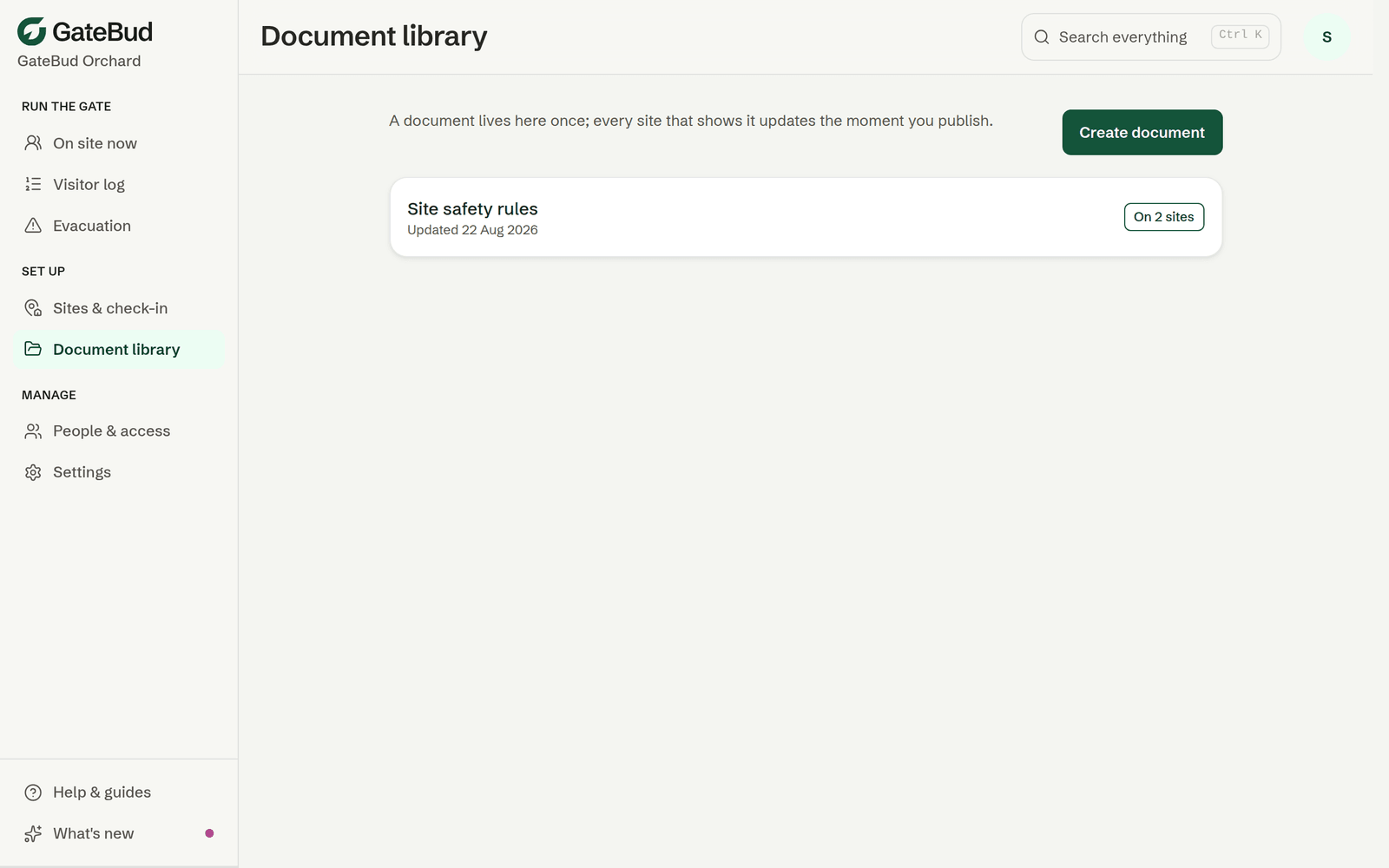
Each card shows when the document was last updated and how many sites it is on. "Not on any site yet" means visitors cannot see it until you add it from a site's page.
Creating a document
Go to the Document library and tap Create document. Give it a title visitors will recognise, then pick one of two ways to add the content:
- Upload a file. A PDF or a picture, up to 10 MB. See "How long a PDF should be" below for how page count affects what visitors see.
- Write it. Build it from headings, paragraphs and bullet lists. This is the most reliable option at the gate, it loads fast on rural data and never needs a second tap.
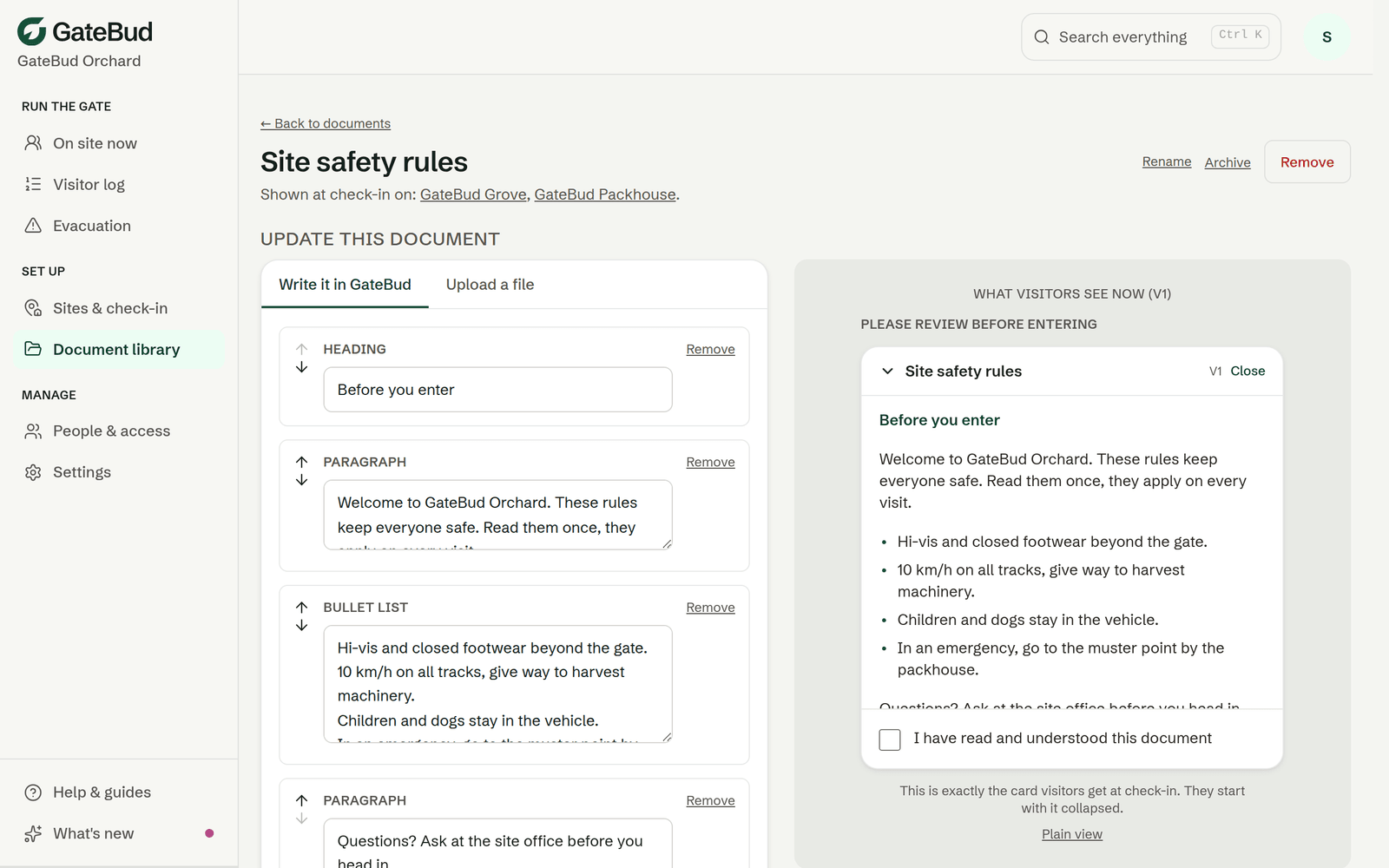
The phone-shaped preview on the right is not a mock-up. It is exactly the card visitors get at check-in, so what you approve is what the gate shows.
How long a PDF should be
A PDF of five pages or fewer turns into images when you publish it, so visitors read it straight down the check-in page, no waiting. Longer than that, GateBud still publishes it, but visitors get a small glimpse and an Open the full document button, an extra tap that needs signal at the gate. Nothing is blocked, it's just a worse read in the rain. If your induction runs long, split it or write the key points as a GateBud document instead. The only hard limit is file size, 10 MB.
While creating, tick the sites to show it at, and choose whether visitors must confirm they have read it. You can fine-tune required or optional per site afterwards, from each site's page.
Updating a document, and versions
Open the document and make your change, then publish. Publishing creates a new version, and:
- Every site showing the document switches to the new version immediately.
- Returning visitors are asked to read it again, so nobody is riding on an acknowledgement of an old version. The change note you add, for example "Spray zone moved to Block D", is shown to them.
- Every past acknowledgement keeps pointing at the exact version that visitor saw. Versions are permanent records, nothing here can be edited or deleted.
If nothing actually changed, GateBud refuses to publish an identical version, so an accidental double-click never forces everyone to re-read.
Site maps
A site map is a special per-site document. You add it from the site's own page, in the Site map slot, not from the library, and it never appears in the library list. See sites, questions and posters. Everything else works the same: it is versioned, visitors acknowledge it, and the evacuation roll call links to it.
Archive, remove, restore
- Archive hides a document from visitors and site pickers, but your team can still open it. Use it for a document you are done with but want to keep visible internally. One tap restores it.
- Remove is stronger: the document disappears for your whole team and comes off every site it was on, and those site assignments are gone for good. Visitors' past acknowledgements are compliance evidence, so those are never touched. A removed document can be restored later from the bottom of the library list, but you add it back to sites yourself.
There is no way to delete a document outright, on purpose. Records that say "they read version 2" must always be able to show what version 2 said.
Who acknowledged what
Every check-in record lists the documents shown, with the exact version, in the Visitor log. If a document could not load at the gate, the record honestly says it was not shown rather than claiming an acknowledgement that did not happen.