GateBud
Help · Check-ins and check-outs
Check-ins and check-outs
A check-in is one visit: who arrived, when, what they answered and what they read. It starts when someone scans your poster and ends when they check out. This is the visitor's side of GateBud™.
Visitors never need an account and never install anything.
Checking in
- The visitor points their phone camera at the QR poster and taps the link.
- A short form opens: their name, their company (optional), your documents and the questions you set for that site.
- They read each document and tick "I have read and understood this document" for anything you marked as required. A little progress bar shows how many required items are left.
- They tap Check in. Done. They appear on your Dashboard straight away, and the site's notification email goes out if you have one set.
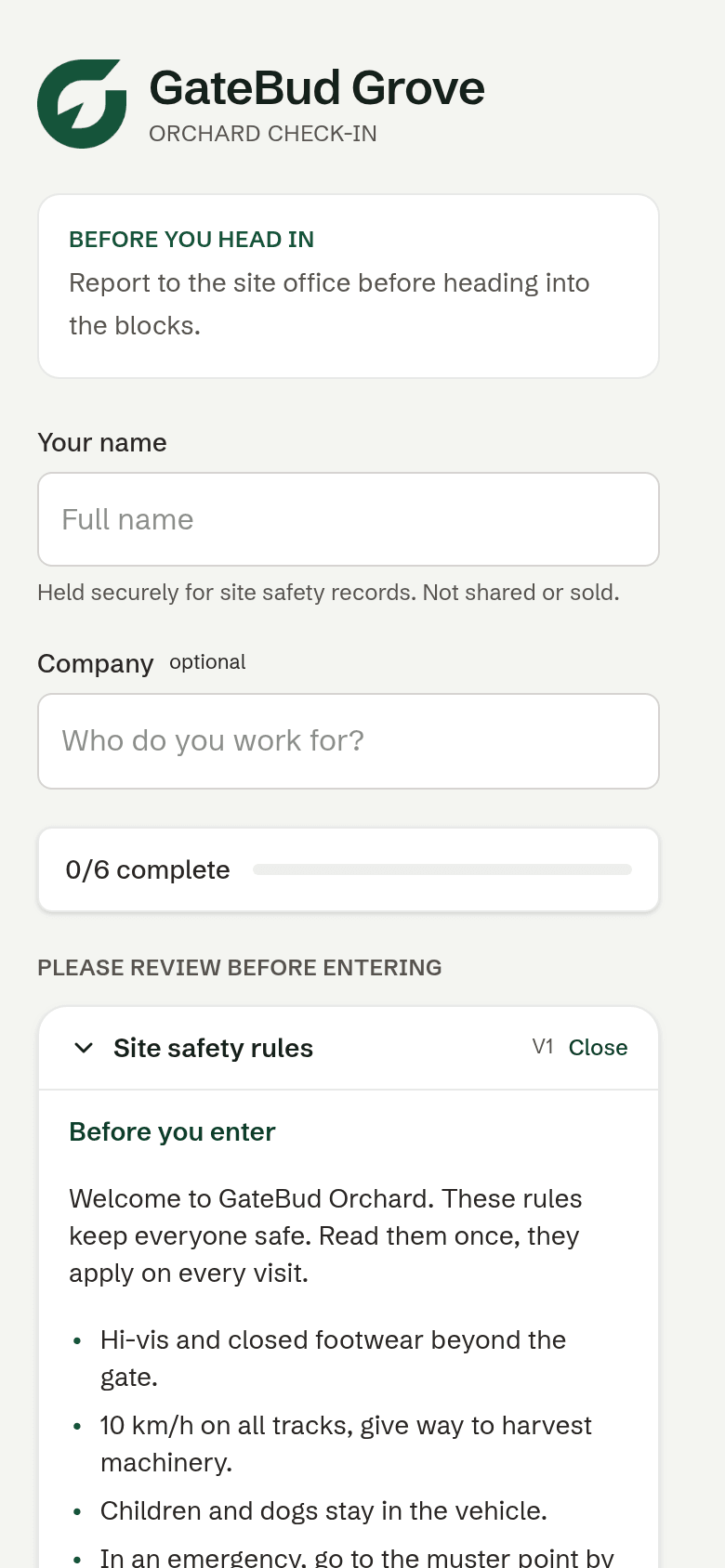
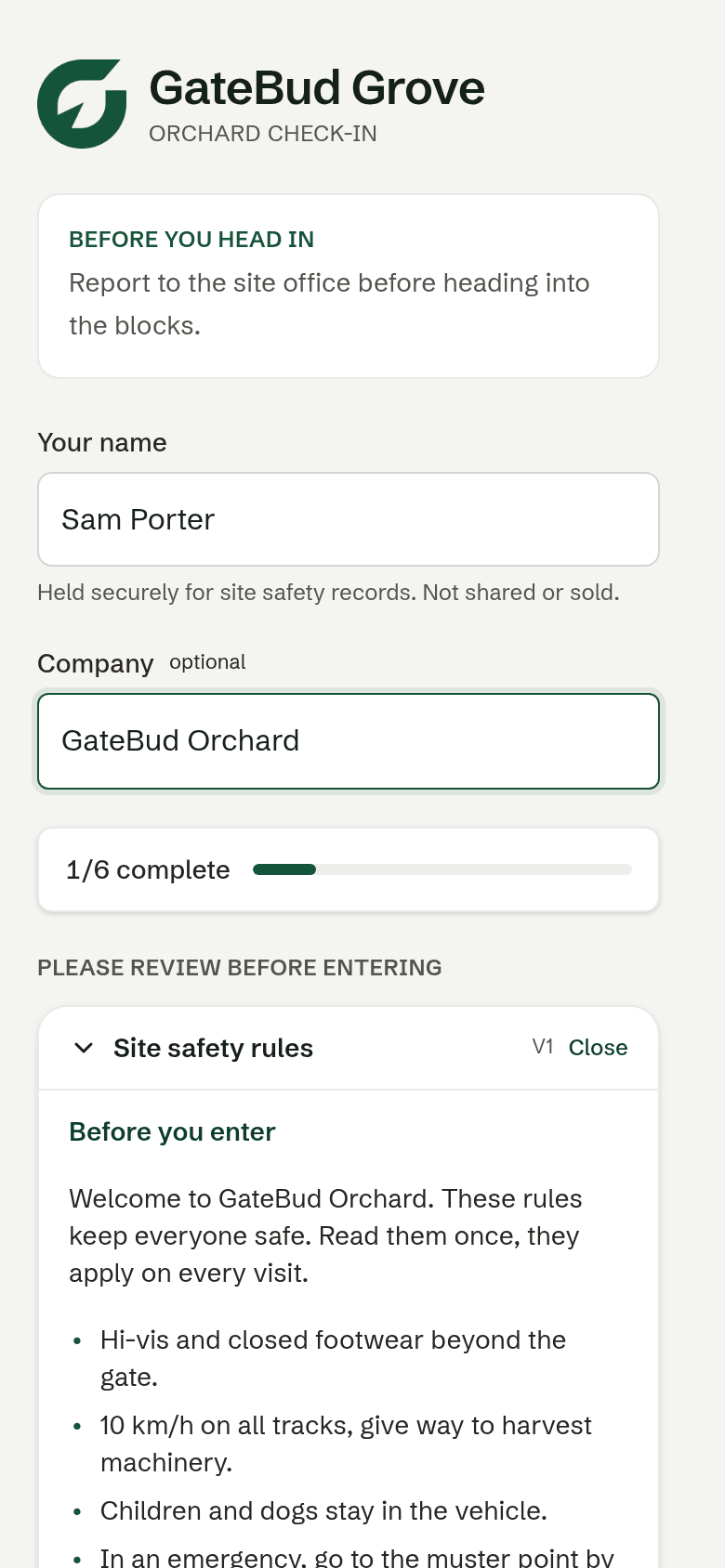
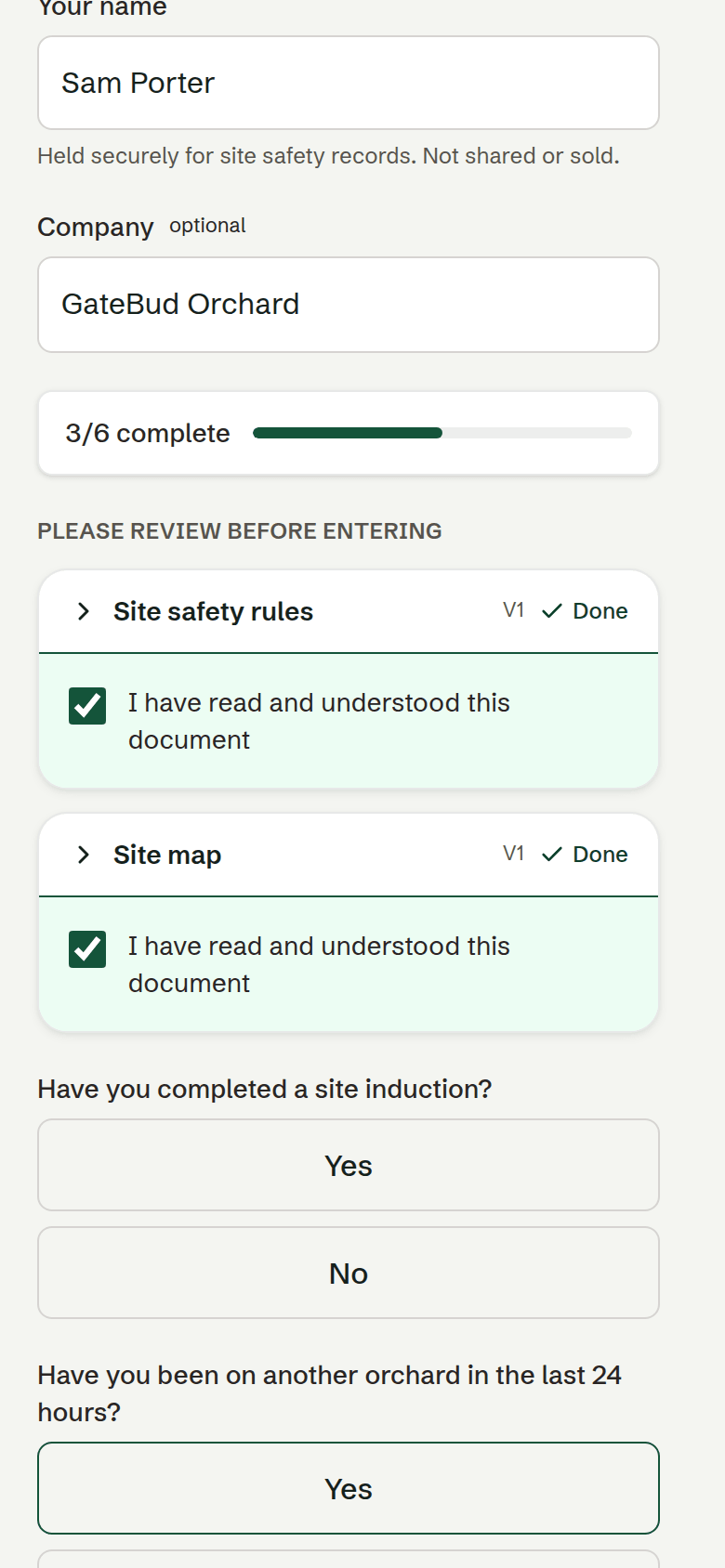
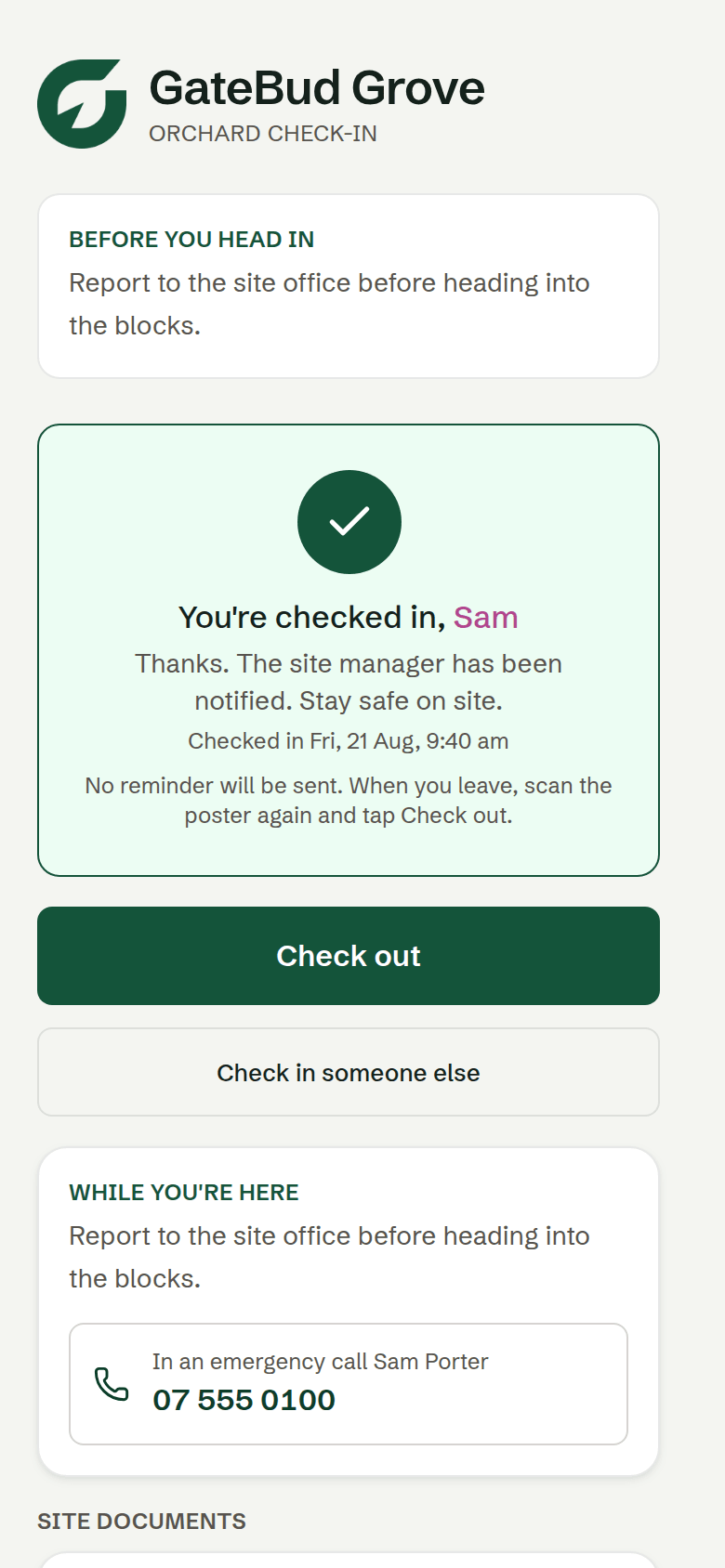
When they are through, the confirmation screen shows their check-in time, when they are due out if they gave an expected time, your site instructions, and your emergency contact as a tap-to-call line.
Their phone remembers their name and company, so the second visit is faster than the first. It greets them with "Welcome back", and one tap clears it if it is someone else's phone.
If someone's camera will not scan, they can type the short web address printed under the QR code into their browser instead. Same form.
Checking out
The same page they used to check in lets them check out when they leave. Scan the poster again, and the phone remembers the visit and offers a one-tap Check out button.
People forget constantly, so you have three backstops:
- Sign anyone out yourself from the Dashboard. You can add a short note, for example "left at smoko, forgot to sign out". The note stays on the record.
- Automatic check-out, set per site, which closes off anyone still showing as on site. See sites, questions and posters.
- Overdue flagging. Anyone who looks stuck on the list is flagged on the Dashboard so you can see who to chase. See the Dashboard.
An automatic check-out is marked as automatic on the record, so it is never confused with someone actually signing out. Your times stay truthful either way.
A check-out needs signal. If a visitor taps Check out with no coverage, GateBud says so and asks them to try again in coverage, or to ask you to sign them out. It never silently pretends a check-out happened.
No phone signal at the gate?
This is common on rural sites and GateBud is built for it. The check-in saves on the visitor's phone and the screen turns amber: "Check-in saved on this device". As soon as their phone has signal with that page still open, it sends itself, exactly once, with the original check-in time, and the screen turns green on its own.
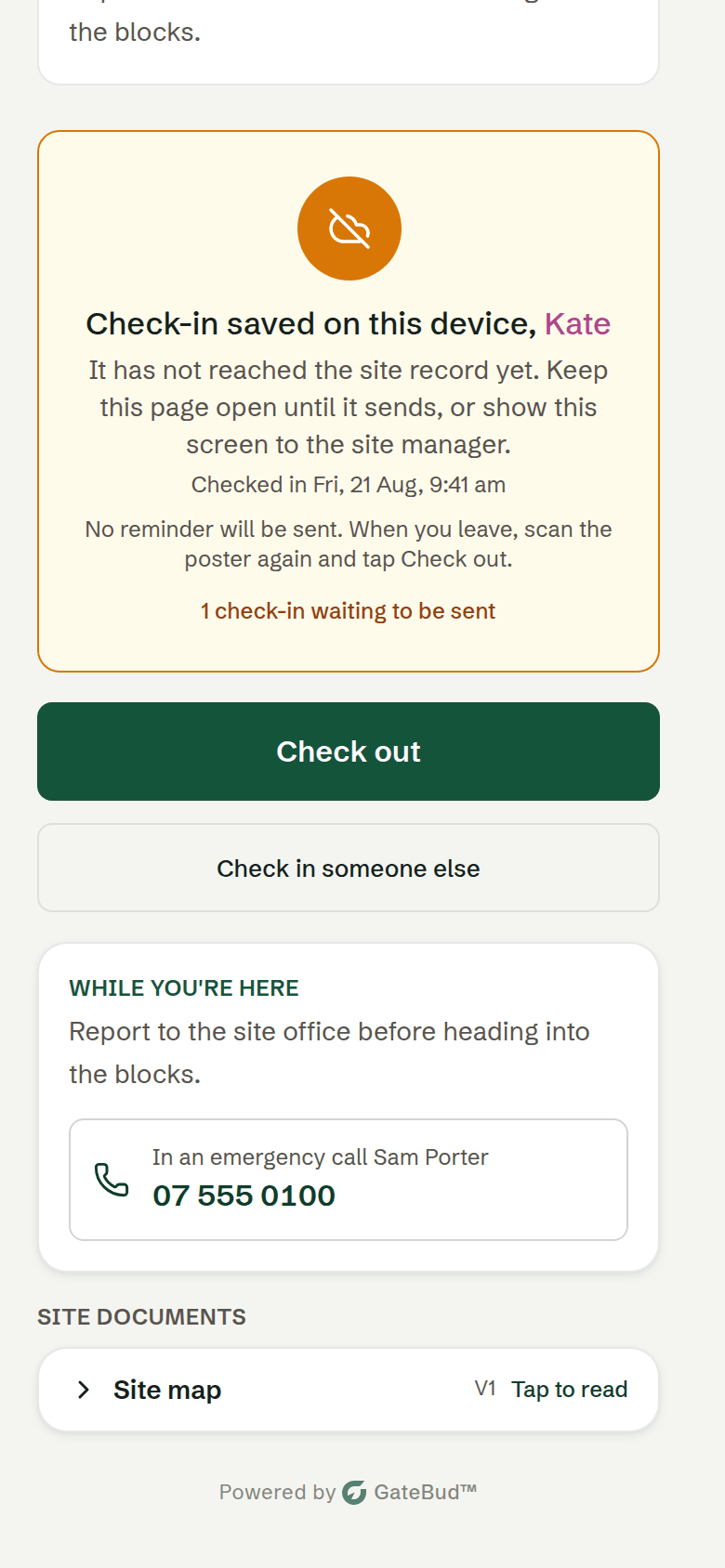
The one thing the visitor needs to do is keep that page open until it turns green. A closed tab cannot send. If it stays amber, see troubleshooting for the recovery steps. They never need to fill the form in again.
One thing to know: while offline, the visitor's phone cannot download site documents it has not seen before. Each site has a setting for what should happen in that case, and the record always says honestly whether a document was actually shown. See sites, questions and posters.
What visitors see about their privacy
Under the check-in button, the form tells visitors their details are shared with your site's manager for health and safety records, with a plain-English expansion of what is collected, who can see it, and how long it is kept. The full policy is at gatebud.com/privacy.
How long you keep their names is your choice, set once for the whole account. See the Visitor log, exports and privacy.
The notification emails
If a site has people set up under Notify on check-in, GateBud emails everyone on that list when someone checks in, with a link to the live Dashboard. A site can notify up to ten people. When several people arrive together, everyone on the list is bundled into one email rather than a flood. The check-ins themselves are always recorded either way, the email is just a heads-up.